
This demo assumes you've already logged in to cPanel
Now let's learn how to use Hotlink Protection, so peoplecan't link directly to images in our website
1) Click the Hotlink Protection icon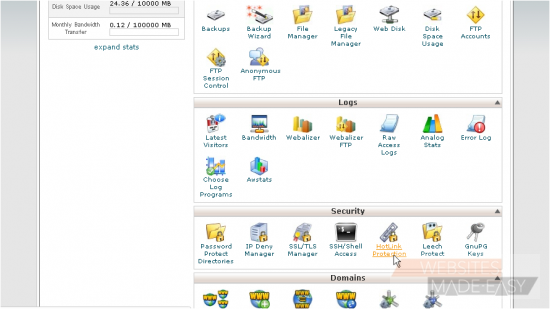
Hotlink Protection prevents other websites from directly linking to certain files (typically images) on your website. You'll want to prevent this if you have copyrighted images, or to simply save on bandwidth usage
2) You'll first want to make sure your own sites are listed here, so you are able to hotlink to your images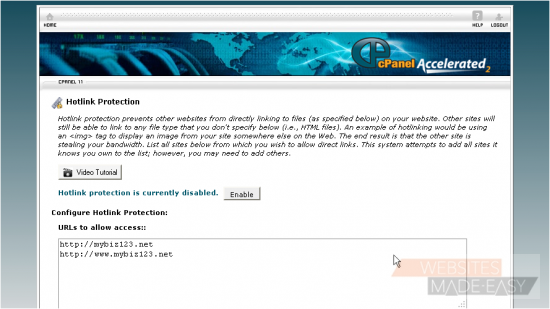
3) Enter all the file types you want protected here...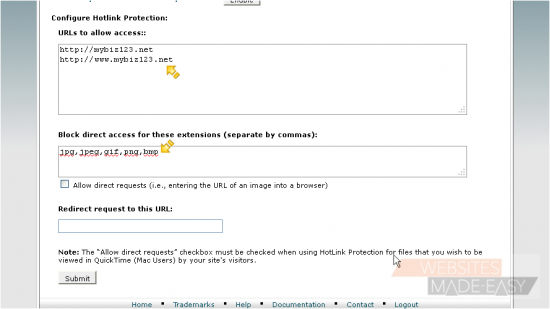
4) ... and if you want to allow people to be able to manually enter the URL of a protected file, check this box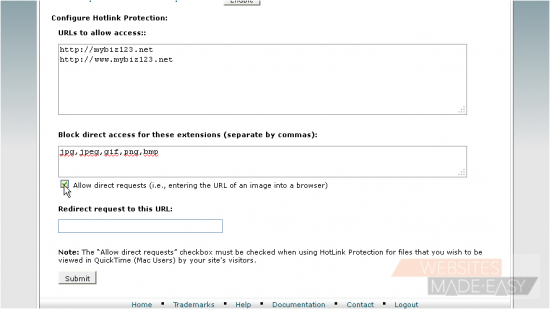
5) Then enter a URL you want to redirect to, for anyone who tries to hotlink to your files or images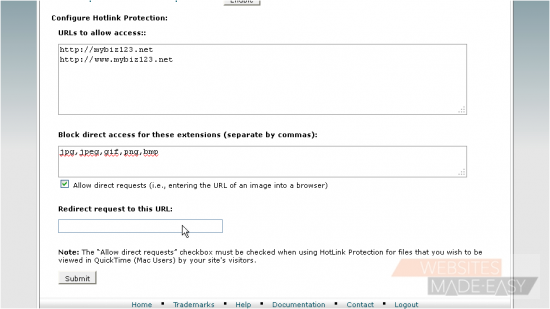
6) Click Submit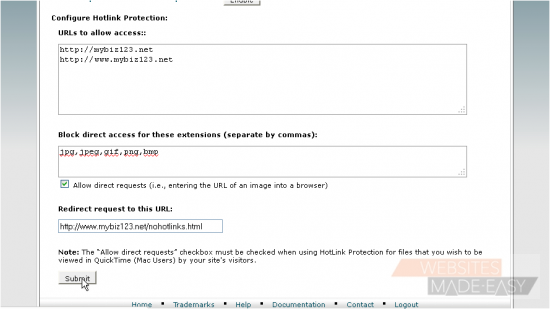
That's it! You've successfully enabled hotlink protection
7) To disable hotlink protection, click this Disable button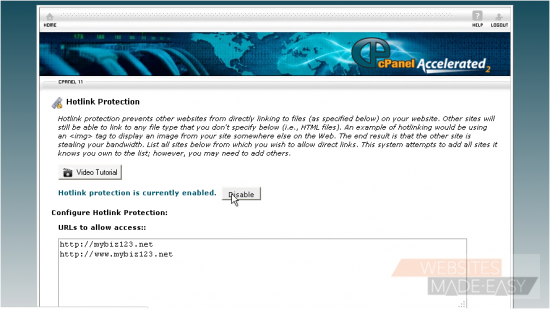
This is the end of the tutorial. You now know how to use hotlink protection to prevent hotlinking to your files. Click here to watch the Video Tutorial.