
How to change your PayPal password and security questions
This tutorial will show you how to edit your password and security questions in PayPal
1) Click the Edit Profile link
2) Click the link to edit your password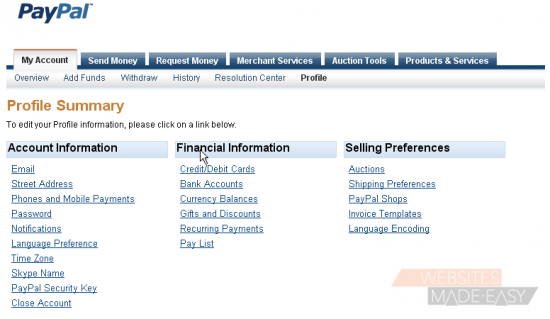
3) Make sure password is selected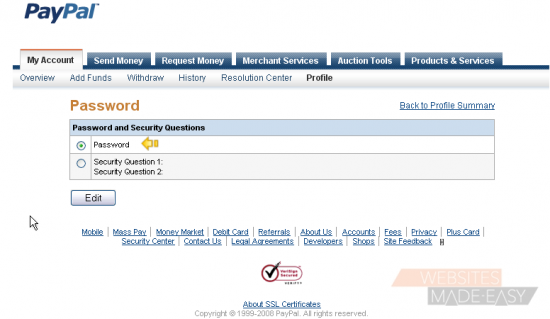
4) Click the Edit button
5) Type in your current password
6) Then type your new password here
7) Re-type your new password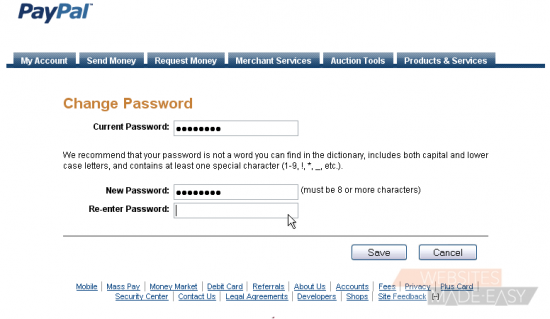
9) Click the Save button
You will get an email and an on-screen confirmation
10) Now choose the Security Questions option
11) Click the Edit button
12) Enter your password
13) Select a security question from the drop-down menu
14) Enter your answer to the question
15) Select a second security question
16) Enter your answer
17) Click the Save button
You will get an email and an on-screen confirmation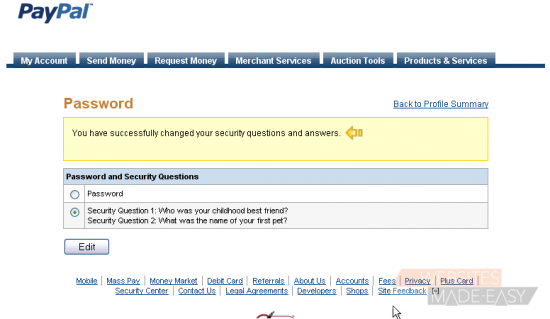
18) Click the link to go back to your profile summary
This is the end of the tutorial. You now know how to edit your password and security questions in PayPal