
How to request money from your PayPal account

How to request money from your PayPal account

This tutorial will show you how to request money in PayPal

1) Click the Request Money link
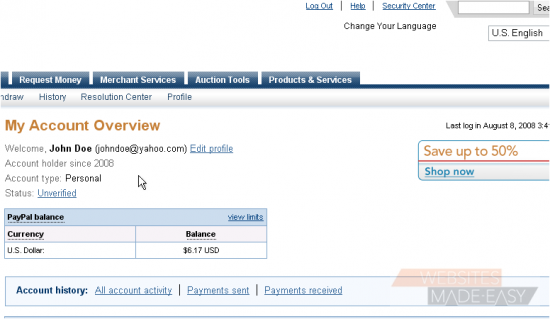
2) Enter the recipient's email address
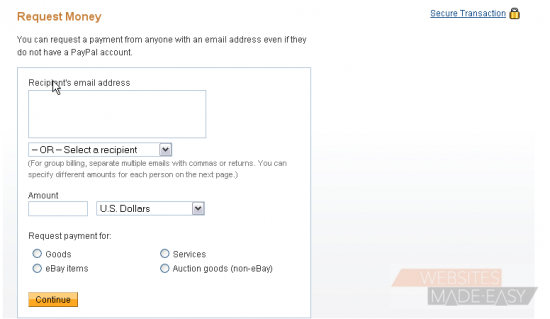
If you have sent or requested money from the recipient before, you can select their email address from the drop-down menu
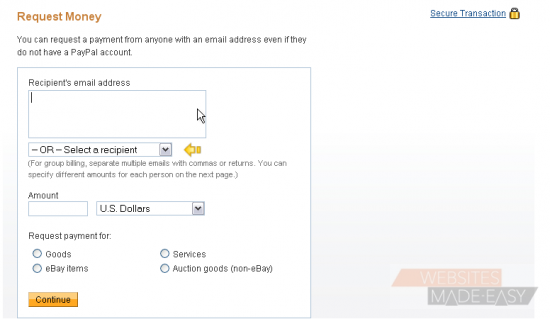
3) Enter the amount
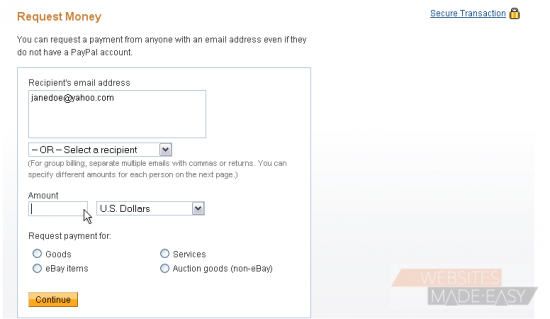
4) Select the currency from the drop-down menu
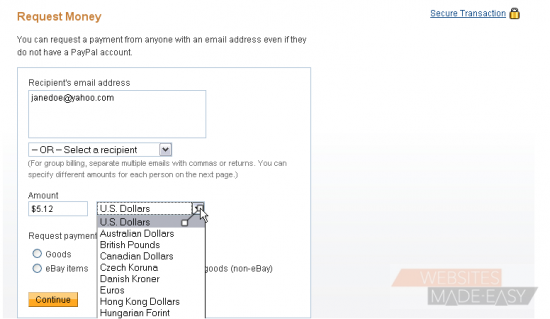
5) Select the reason why you are requesting this transaction
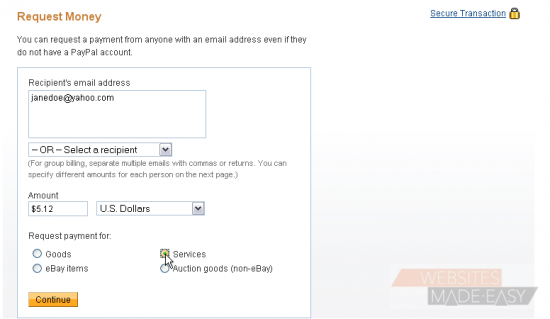
6) Click the Continue button

You can review your request here before sending it
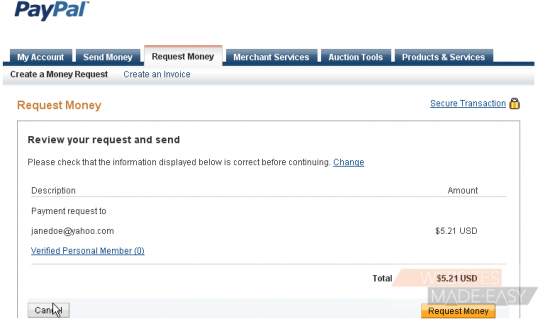
7) Click the Request Money button

Success!
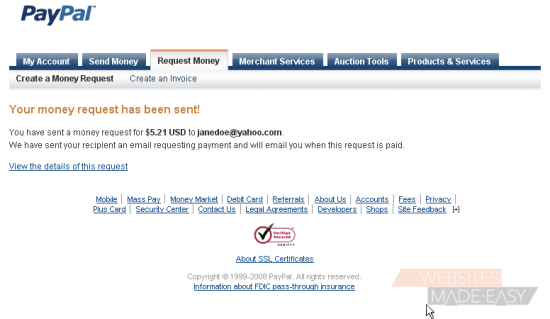
8) Click the My Account link

You can review your recent transaction activity below
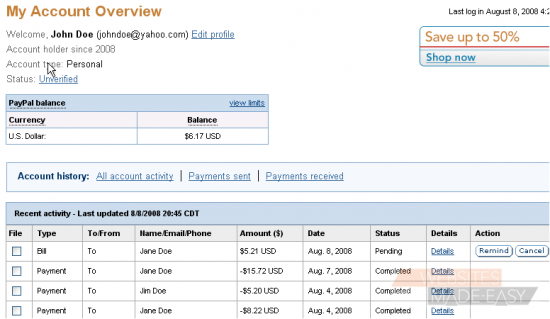
This is the end of the tutorial. You now know how to request money in PayPal

  • 0 Uživatelům pomohlo
Byla tato odpověď nápomocná?

Související články

How to login to PayPal

How to login to PayPal This tutorial will show you how to login to PayPal 1) Enter the email...

How to lift the limits in place on your PayPal account

How to lift the limits in place on your PayPal account This tutorial will show you how to lift...

How to change your PayPal password and security questions

How to change your PayPal password and security questions This tutorial will show you how to...

How to change your PayPal notification preferences

How to change your PayPal notification preferences This tutorial will show you how to edit your...

How to change your PayPal language preference and time zone

How to change your PayPal language preference and time zone This tutorial will show you how to...