
How to open Apple Mail

How to open Apple Mail

Apple Mail is an e-mail program that is included with Apple's Mac OS X operating system.

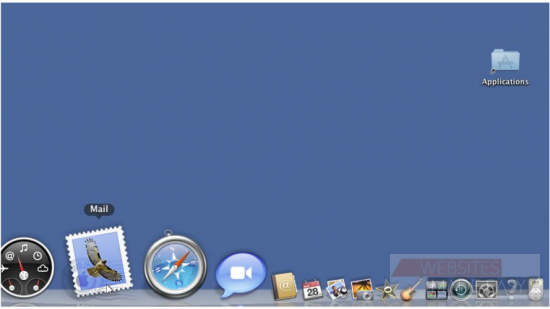
1) One of the ways to open Mail is to hover over the dock until you find the Mail icon... then click the Mail icon to launch the program.
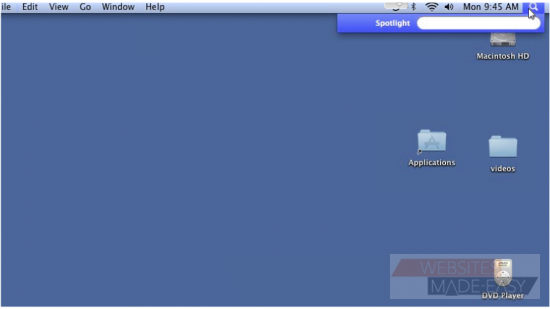
2) If you can't find Mail in the dock, click the magnifying glass icon at the top right corner of your desktop. Begin typing the word Mail in the box... then click on Mail when it appears.
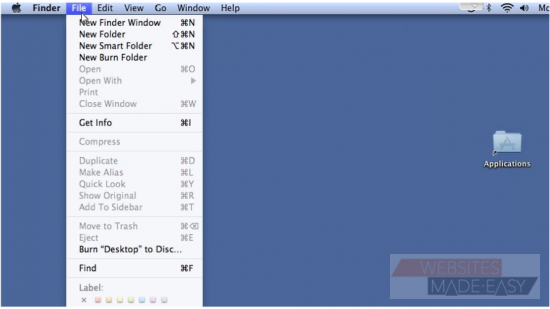
3) The last way to open Apple Mail is to open a new Finder Window. To do this, click File... and then New Finder Window.
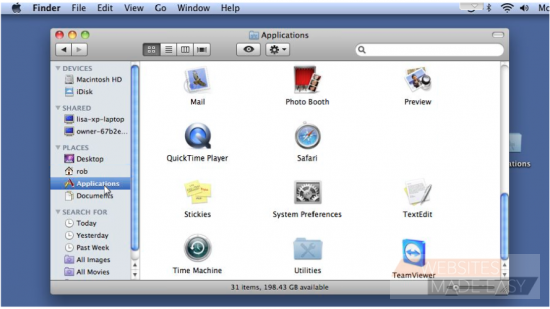
4) Click Applications in the left margin, then double click the Mail icon.
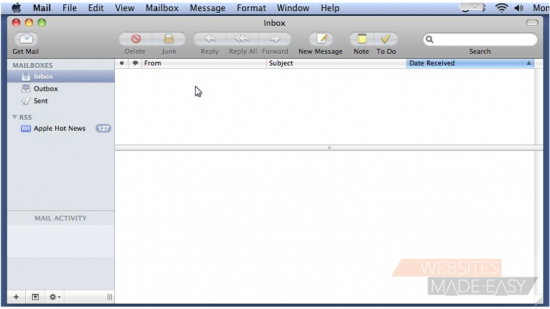
5) Apple Mail will open and you are now ready to begin using the program.

  • 0 gebruikers vonden dit artikel nuttig
Was dit antwoord nuttig?

Gerelateerde artikelen

How to setup a mail account using POP

How to setup a mail account using POP This tutorial assumes you have already set up an e-mail...

How to setup a mail account using IMAP

How to setup a mail account using IMAP This tutorial assumes you have already set up an e-mail...

How to create and manage outgoing mail servers

How to create and manage outgoing mail servers An outgoing mail server is what the program uses...

An overview of settings and preferences in Apple Mail

An overview of settings and preferences in Apple Mail In this demonstration, we'll see where...

How to read and send e-mail messages in Apple Mail

How to read and send e-mail messages in Apple Mail Once you have added an e-mail account and set...