
How to create an addon domain in cPanel

This demo assumes you've already logged in to cPanel

Now let's learn how to create an addon domain

1) Click the Addon Domains icon
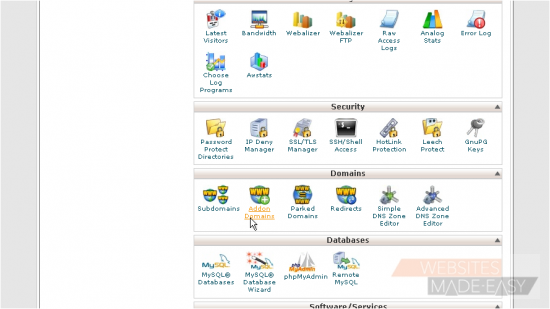
This is the Addon Domains page, where you can setup additional domain names that point to subdomains of your account
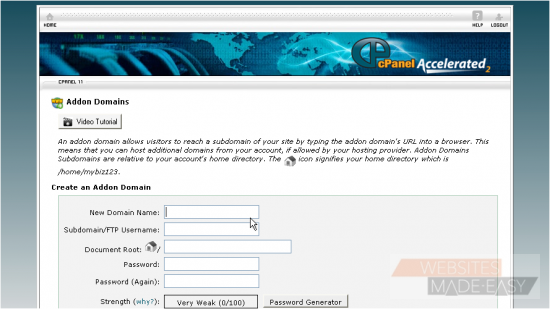
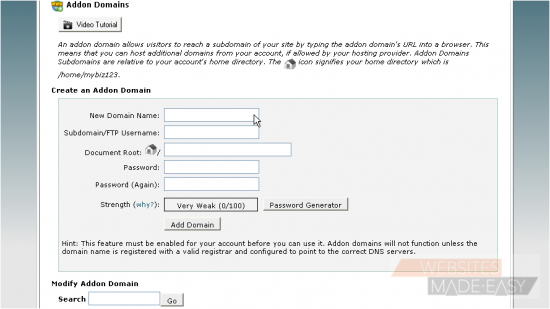
2) Enter the new domain name here...
3) ... then enter a unique username for the domain
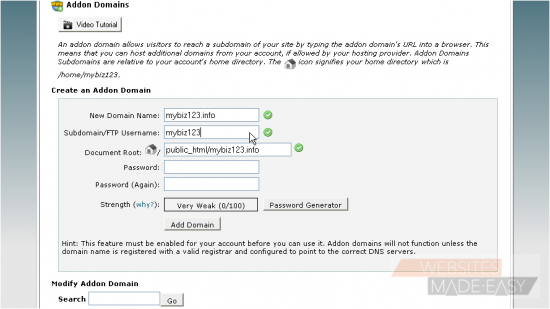
4) Enter and confirm a password...
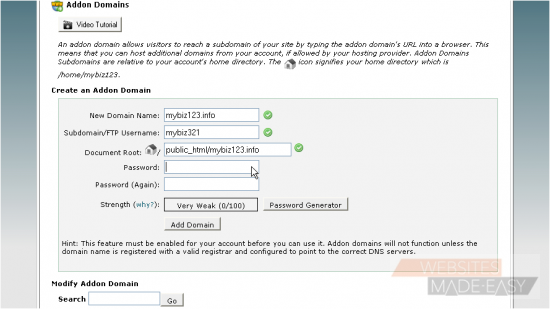
5) ... then click Add Domain
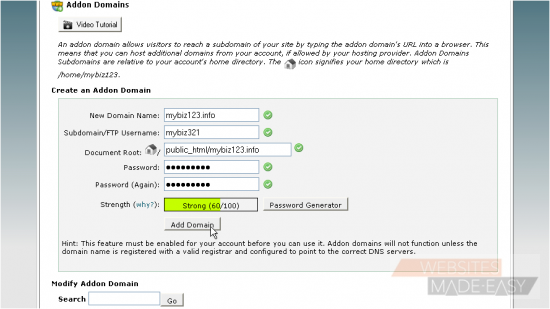
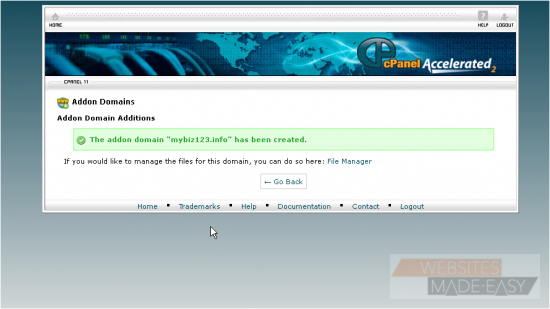
That's it! The addon domain has been created
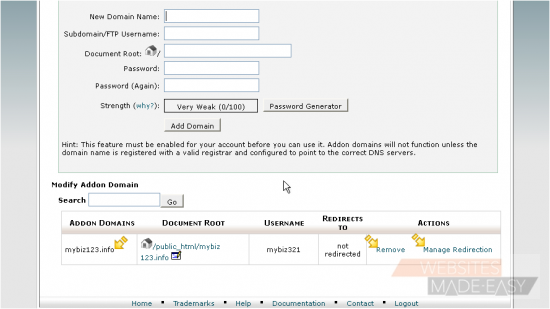
From here you can see a list of addon domains, and you can manage or delete these addon domains from here
This is the end of the tutorial. You now know how to create addon domains in cPanel.  Click here to watch the Video Tutorial.

  • 0 کاربر این را مفید یافتند
آیا این پاسخ به شما کمک کرد؟

مقالات مربوطه

How to Login in to cPanel

This demo assumes you've already opened your browser, and entered your cPanel login URL Now...

How to create a POP email account in cPanel

This demo assumes you've already logged in to cPanel Now let's create a new POP email account...

How to set your default address in cPanel

This demo assumes you've already logged in to cPanel Now let's learn how to set our default...

How to setup an auto-responder in cPanel

This demo assumes you've already logged in to cPanel Now let's learn how to setup an email...

How to setup email forwarding in cPanel

This demo assumes you've already logged in to cPanel Now let's learn how to setup email...