
How to create a MySQL database in cPanel

This demo assumes you've already logged in to cPanel

Now let's learn how to create a MySQL database

1) Click MySQL Database Wizard
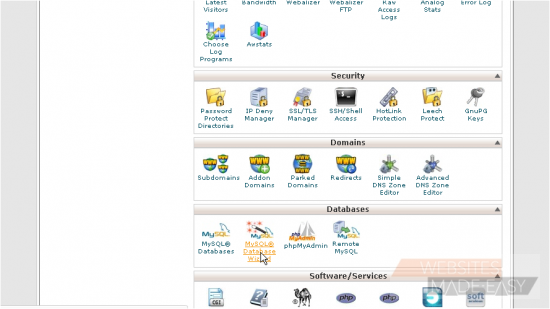
2) Enter a name for the new database
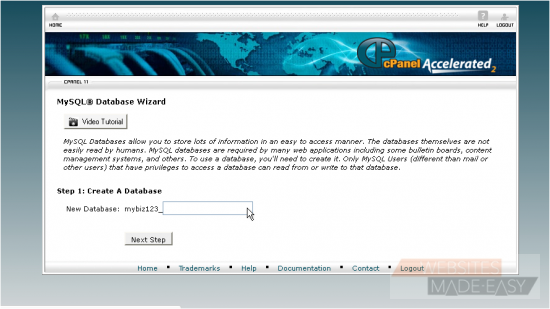
3) Click Next Step
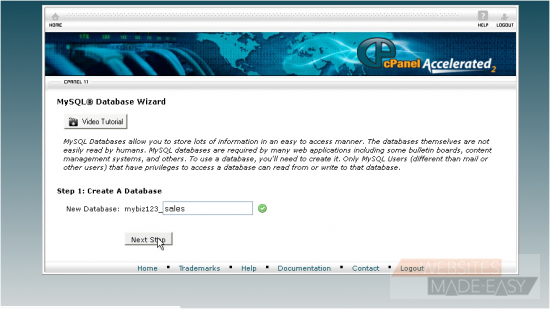
4) Now we have to create a user for this database... enter a username here
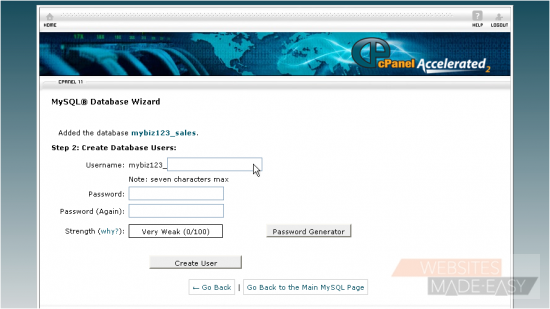
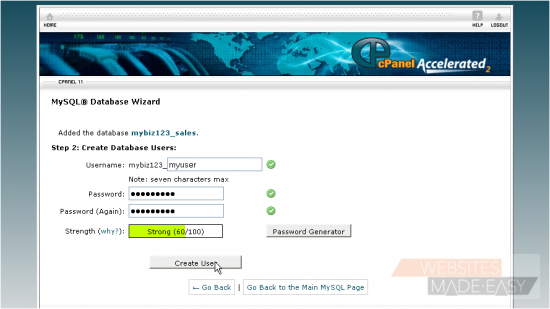
5) Then enter and confirm a password
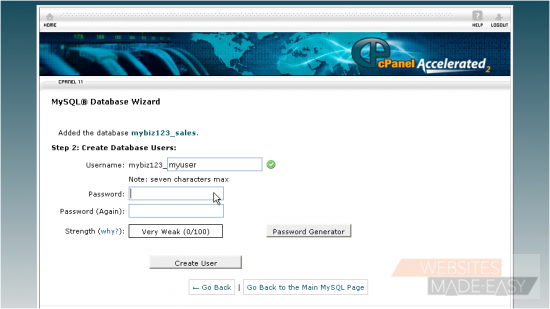
6) When ready, click Create User
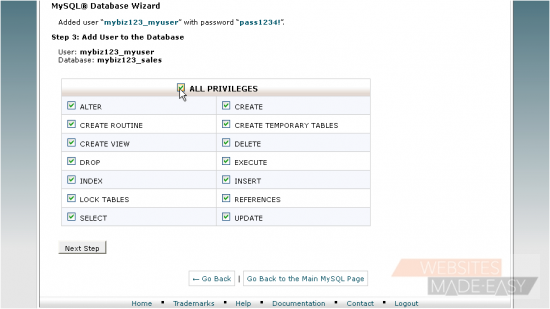
7) Check here to assign All Privileges to the user...
8) ... then click Next Step
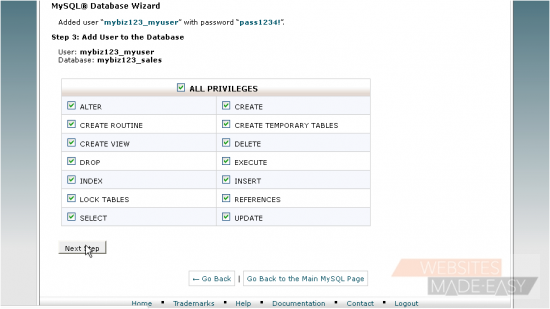
That's it! The MySQL database has been created, and the new user added to the database. The database name, username and password will all be needed for scripts that need to connect to the database

This is the end of the tutorial. You now know how to create and setup MySQL databases.  Click here to watch the Video Tutorial.

  • 0 A felhasználók hasznosnak találták ezt
Hasznosnak találta ezt a választ?

Kapcsolódó cikkek

How to Login in to cPanel

This demo assumes you've already opened your browser, and entered your cPanel login URL Now...

How to create a POP email account in cPanel

This demo assumes you've already logged in to cPanel Now let's create a new POP email account...

How to set your default address in cPanel

This demo assumes you've already logged in to cPanel Now let's learn how to set our default...

How to setup an auto-responder in cPanel

This demo assumes you've already logged in to cPanel Now let's learn how to setup an email...

How to setup email forwarding in cPanel

This demo assumes you've already logged in to cPanel Now let's learn how to setup email...