
How to use the IP Deny Manager in cPanel

This demo assumes you've already logged in to cPanel

Now let's learn how to use the IP Deny manager in cPanel, to block certain IP addresses from having access to our website

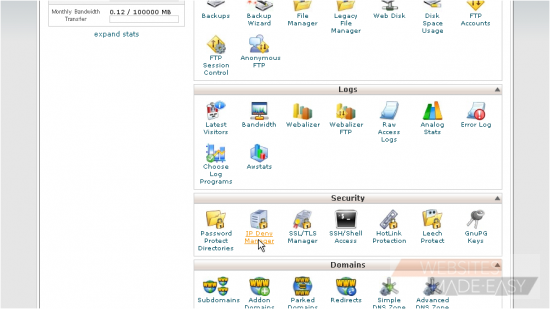
1) Click IP Deny Manager
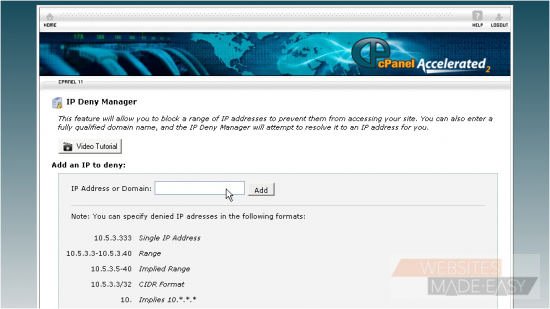
2) Enter an IP address or range you would like to block, then click Add
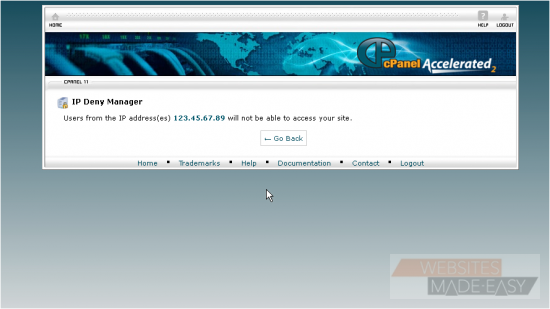
That's it! We've blocked anyone using the IP address 123.45.67.89 from accessing our website
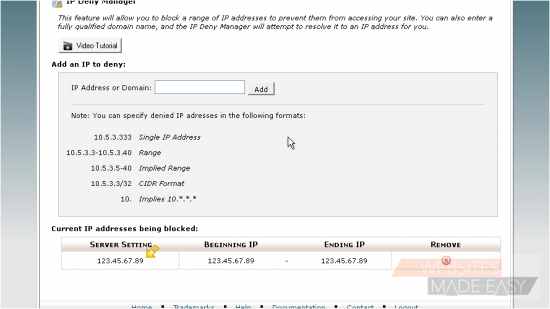
3) You can see the IP addresses currently being blocked here. To unblock this IP address, click here...
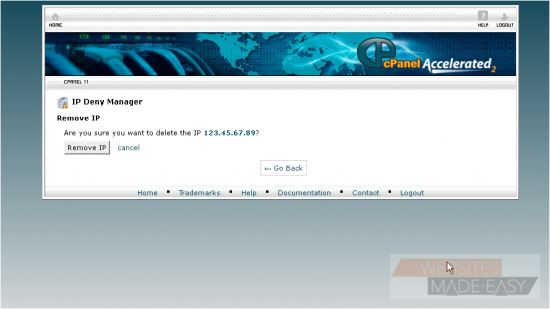
4) Then confirm by clicking Remove IP
That's it! The IP address has been removed from the blocked list

This is the end of the tutorial. You now know how to block IP addresses from accessing your website.  Click here to watch the Video Tutorial.

  • 0 Корисниците го најдоа ова како корисно
Дали Ви помогна овој одговор?

Понудени резултати

How to Login in to cPanel

This demo assumes you've already opened your browser, and entered your cPanel login URL Now...

How to create a POP email account in cPanel

This demo assumes you've already logged in to cPanel Now let's create a new POP email account...

How to set your default address in cPanel

This demo assumes you've already logged in to cPanel Now let's learn how to set our default...

How to setup an auto-responder in cPanel

This demo assumes you've already logged in to cPanel Now let's learn how to setup an email...

How to setup email forwarding in cPanel

This demo assumes you've already logged in to cPanel Now let's learn how to setup email...