
How to change your PayPal language preference and time zone

How to change your PayPal language preference and time zone

This tutorial will show you how to edit your language preference and time zone in PayPal

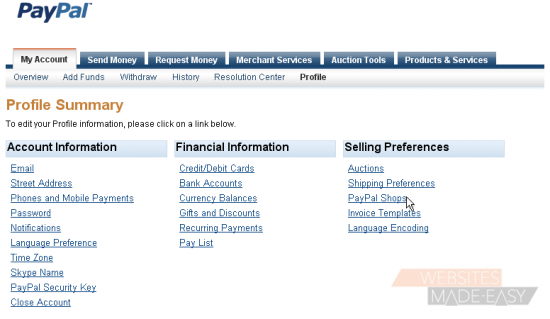
1) Click the link to go to your profile

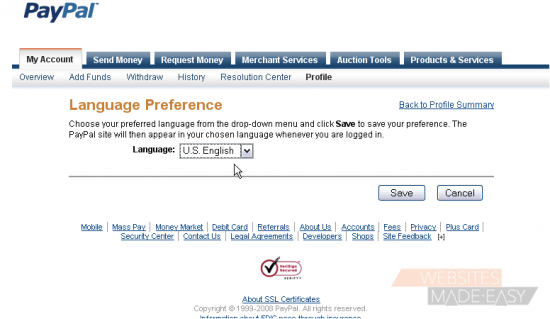
2) Click the link to go to your language preference

3) Select your language from the drop-down menu

4) Click Save
5) Click the link to edit your time zone
6) Select your time zone from the drop-down menu

7) Click Save

Success!

8) Click the link to go back to your profile

This is the end of the tutorial. You now know how to edit your PayPal language preference and time zone

  • 0 Los Usuarios han Encontrado Esto Útil
¿Fue útil la respuesta?

Artículos Relacionados

How to login to PayPal

How to login to PayPal This tutorial will show you how to login to PayPal 1) Enter the email...

How to lift the limits in place on your PayPal account

How to lift the limits in place on your PayPal account This tutorial will show you how to lift...

How to change your PayPal password and security questions

How to change your PayPal password and security questions This tutorial will show you how to...

How to change your PayPal notification preferences

How to change your PayPal notification preferences This tutorial will show you how to edit your...

How to edit your address and phone number in PayPal

How to edit your address and phone number in PayPal This tutorial will show you how to edit your...